
✅ Create a Client Folder in just a few clicks
✅ Open the Trip Designer without adding anything
✅ Use the 💬 chat to send your DMC a custom trip brief
✅ Let the DMC build the proposal directly
✅ Review, modify, and confirm the trip later
🚀 Objective: Quickly request a custom trip without starting from scratch, using only a Client Folder and chat message.
📂 Create a Client Folder
Before contacting your DMC, start by creating a new Client Folder.
-
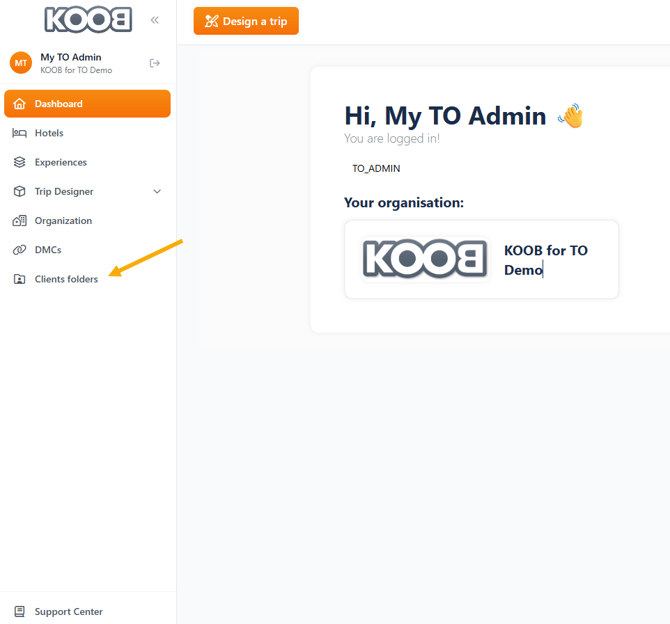
Go to "Client Folders" in the left-hand menu
-
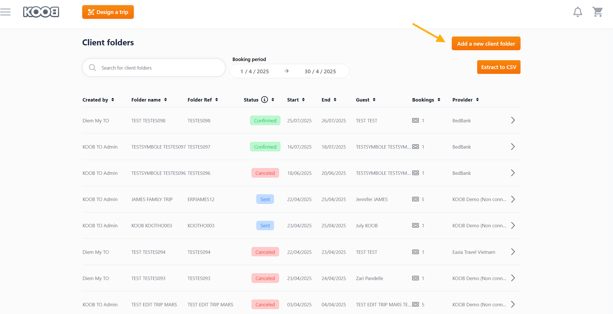
Click "Add New Client Folder" ➕
-
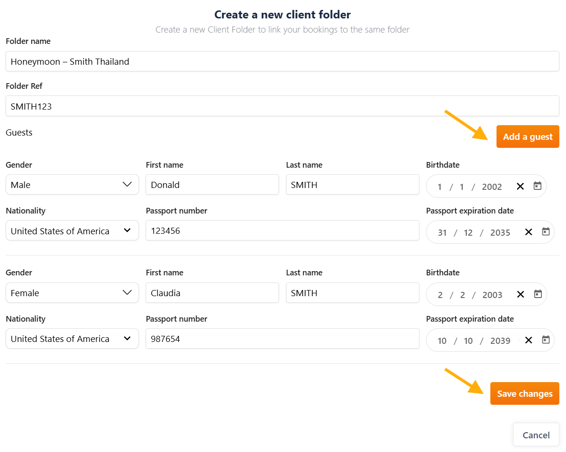
Fill in:
-
Folder name (e.g. “Honeymoon – Smith Thailand”)
-
Client reference or internal tracking
-
Number of travelers, nationality, special preferences
-
-
Click "Save changes" 💾
💡 Add key client preferences in the notes section, like “Luxury beach resort”, “Nature & Wildlife”, or “Budget €3000”.
🎨 Open the Trip Designer
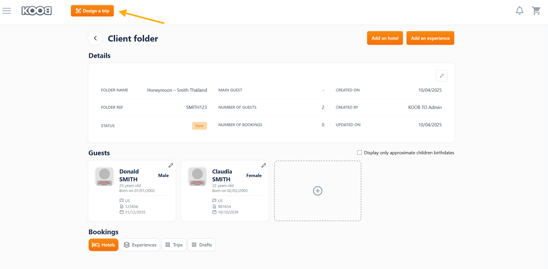
From the newly created Client Folder:
-
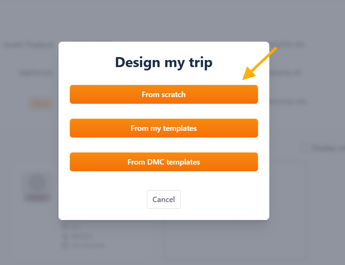
Click "Design a Trip" 🟠
-
Choose "From Scratch" 🧩
-
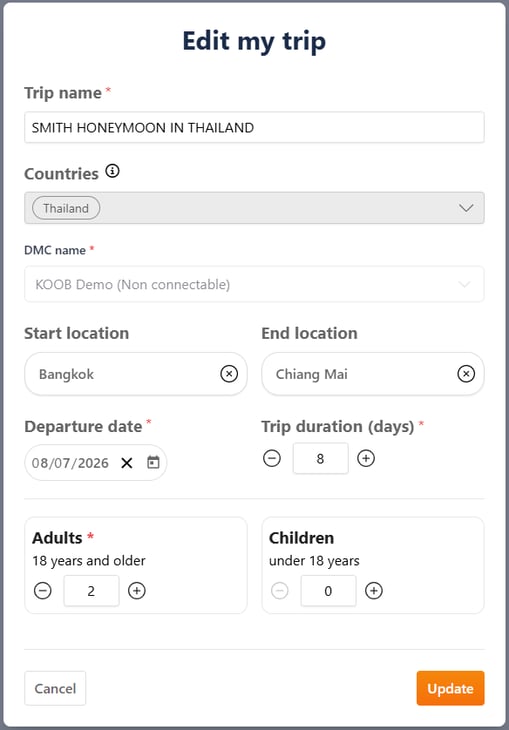
Fill in basic trip info (country, dates, number of travelers)
-
Click "Continue"
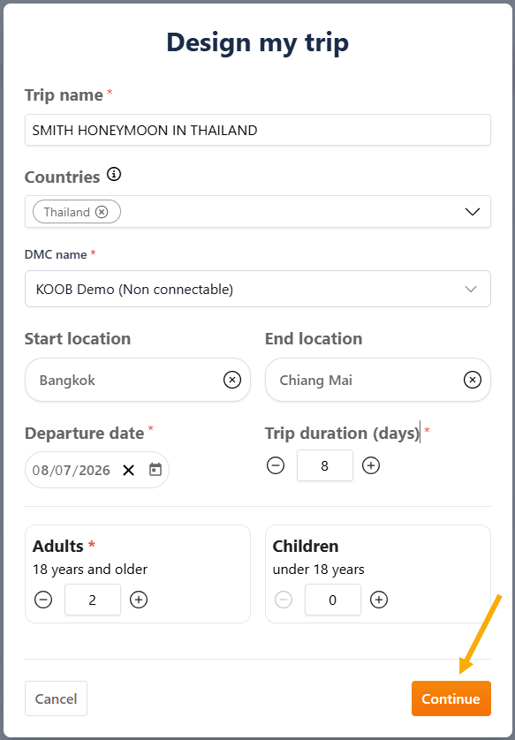
📌 No need to add any experience or hotel yet — you can leave the timeline empty.
💬 Ask your DMC for help via chat
Inside the Trip Designer:
-
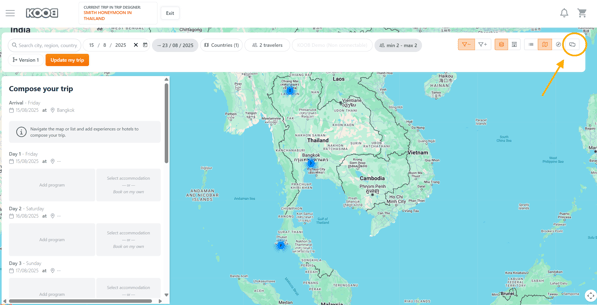
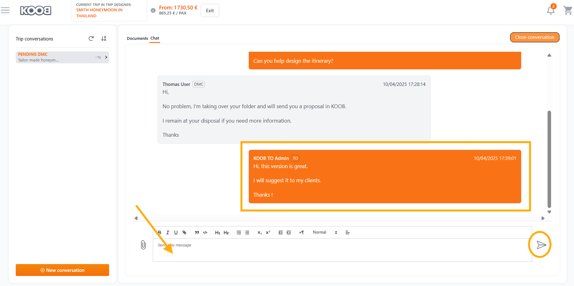
Click the 💬 Chat button (top-right corner)
-
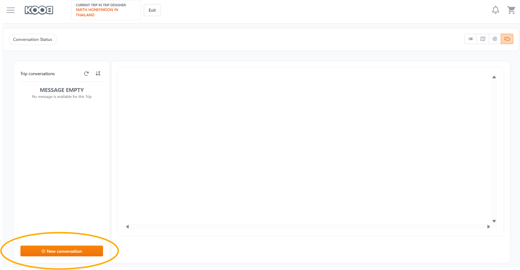
Click "New Conversation"
-
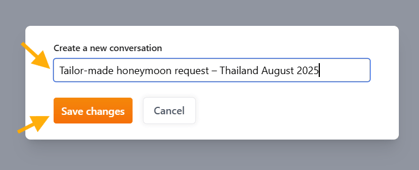
Title your conversation clearly
-
Example: “Tailor-made honeymoon request – Thailand August 2025”
-
-
Write a detailed brief:
-
Number of travelers and dates
-
Destination and special interests
-
Hotel level (luxury, boutique, etc.)
-
Experience type (culture, beach, adventure)
-
Budget per person
-
-
Click "Send" 📩
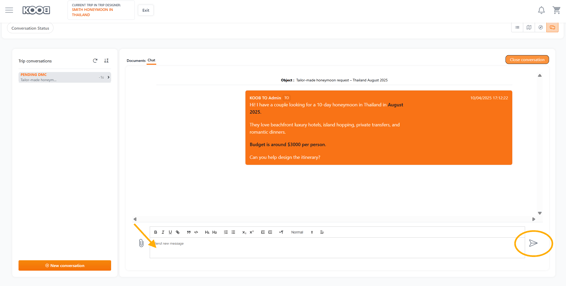
📝 Example message:
"Hi! I have a couple looking for a 10-day honeymoon in Thailand in August 2025.
They love beachfront luxury hotels, island hopping, private transfers, and romantic dinners. Budget is around $3000 per person.
Can you help design the itinerary?"
🔔 What happens next?
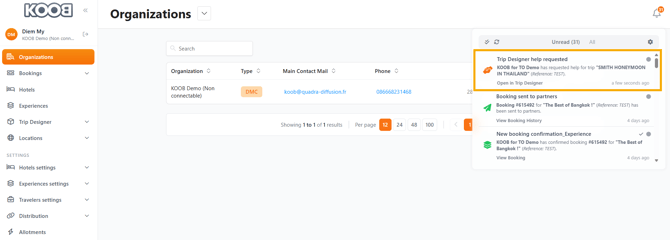
Your DMC will receive a notification and start working on the proposal or ask you questions in the Chat.
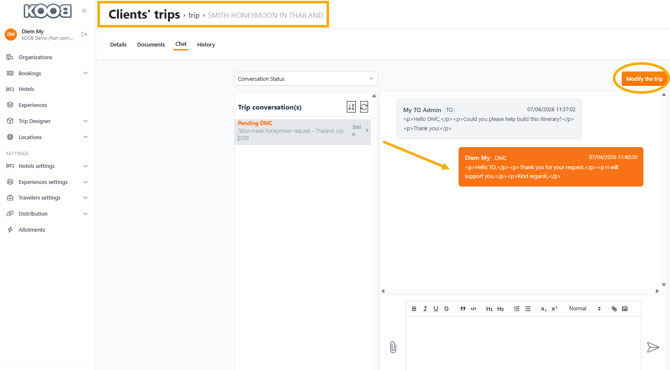
DMC Interface
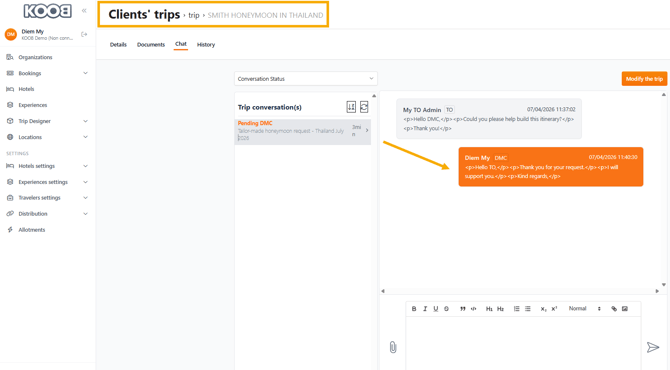
- The DMC can access your Trip by clicking "Modify the trip"
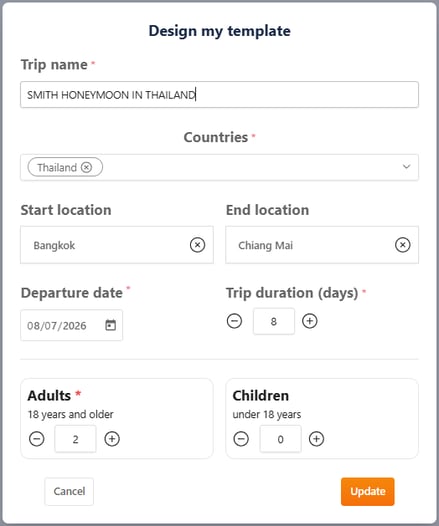
- The DMC takes over and creates a tailor-made trip for your clients
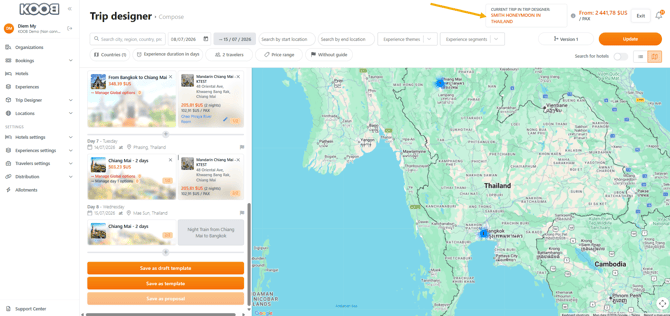
Once ready:
-
You’ll get an in-app notification
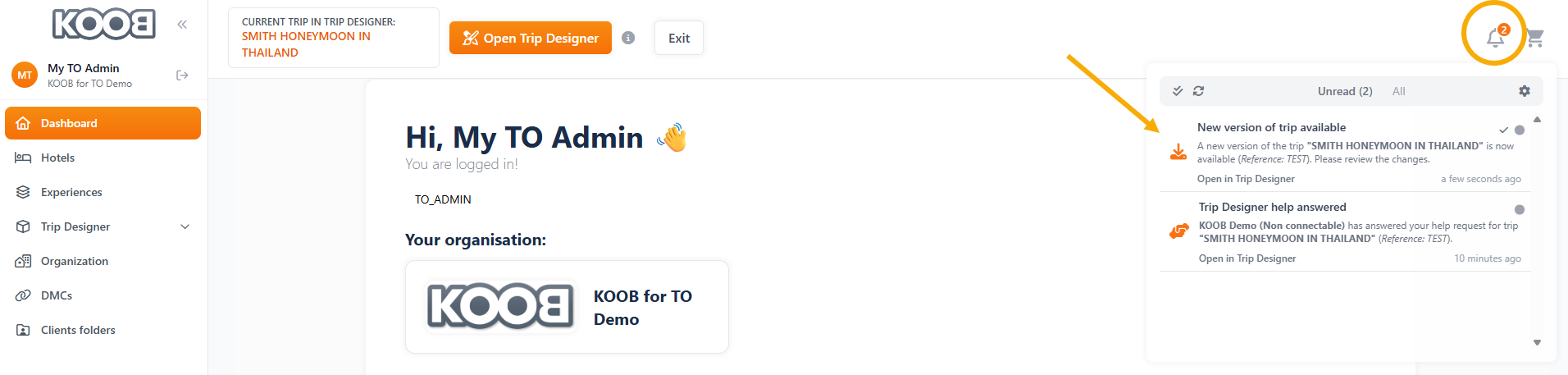
-
Click on it, a pop up window will appear to bring you to the DMC proposal.
- Click on "Update"
-
Discover your DMC tailor-made proposal
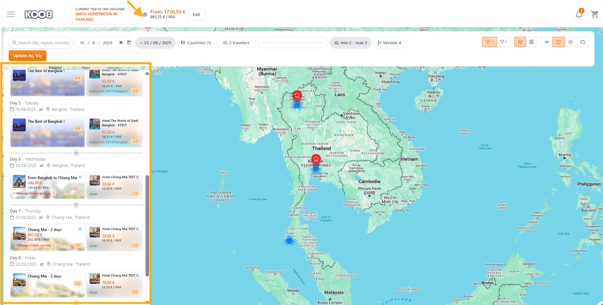
- You can now :
-
Review the proposal
-
Modify it yourself
-
Continue chatting with your DMC
-
-
-
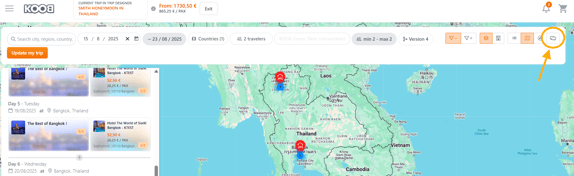
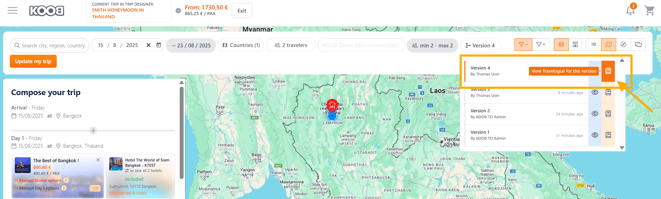
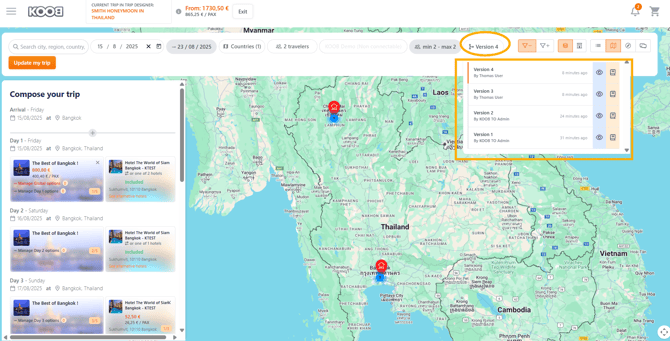
Click on the "Version" button
-
Click on the "Notepad" button to open the Travel Diary 📄
-
-
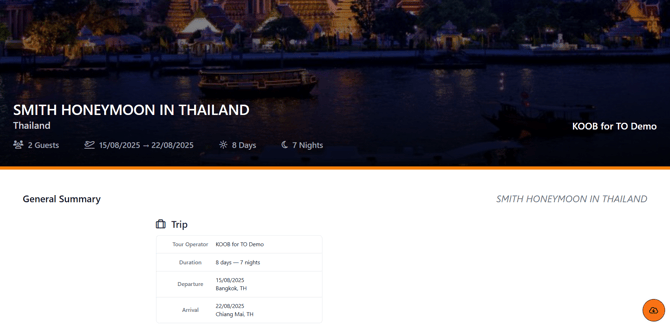
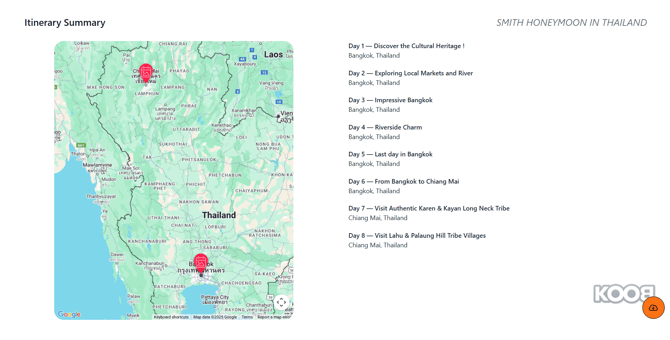
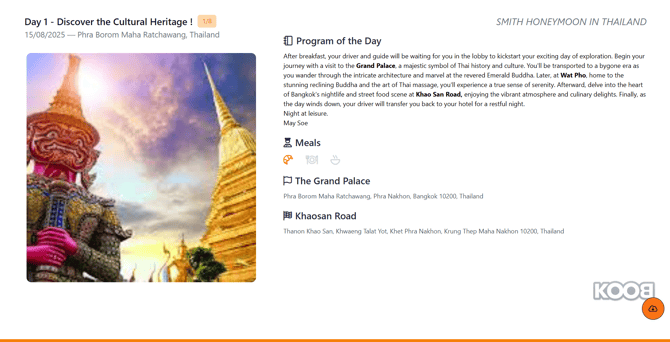
- The Travel Diary opens in another Sheet
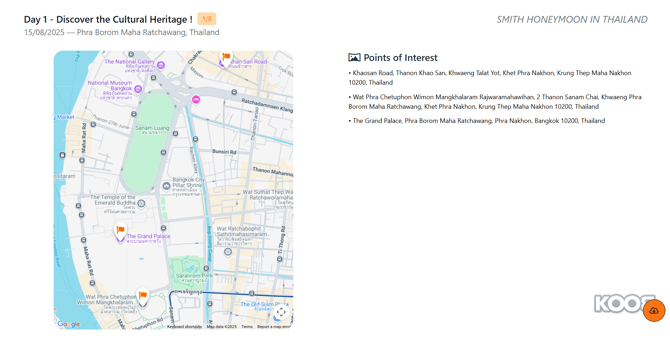
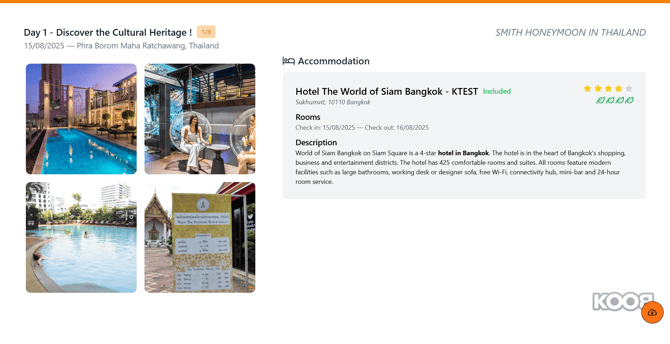
...
- You can download the Travel Diary (PDF) by clicking on the orange Symbol
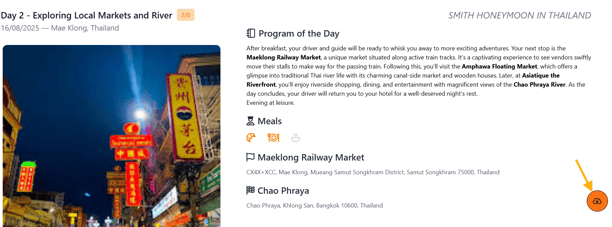
- You can then send the Travel Diary 📄 to your client
- You can also find the Travel Diary, Trip Pricing in your client folder so that you can send them to your client for validation.
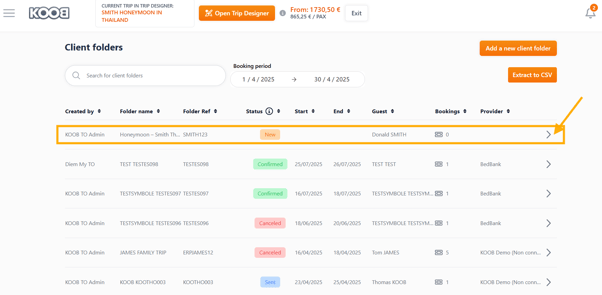
| Icon | Function | Description |
|---|---|---|
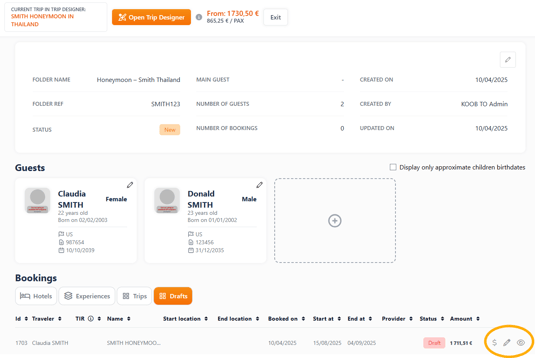
| 👁️ Eye | View Travel Diary | Opens the client-facing itinerary. You can review and download the Travel Diary PDF to share with your client. |
| ✏️ Pencil | Edit the trip | Opens the Trip Designer to modify the draft version (hotels, experiences, options, etc.). Perfect for adjustments after DMC feedback. |
| 💲 Dollar | View pricing sheet | Opens the detailed pricing breakdown for the trip. Use this to review prices before creating a quote for your client. |
📌 These icons are always visible under the Drafts tab in the Client Folder, making it easy to manage proposals from your DMC.
💡 Each version is saved — you can compare drafts or go back if needed.
VIDEO TUTORIAL
Takeaways
✅ Create a Client Folder with basic trip info
✅ Use the Trip Designer just to launch the workspace
✅ Send your DMC a clear brief using the 💬 chat
✅ Wait for the proposal and review it in the Drafts tab
✅ Finalize and confirm once everything’s approved
FAQ
Q: Can I leave the Trip Designer empty when asking for help?
🟢 Yes! You can send your DMC a message without adding any experience or hotel.
Q: Where can I see the trip proposal?
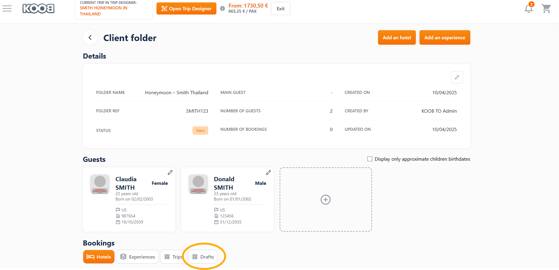
📂 Inside your Client Folder, in the “Drafts” section once the DMC has shared it.
Q: Can I change the trip later?
🔄 Yes! You can modify the itinerary yourself or ask the DMC to update it.
Q: How do I send the trip to my client?
📄 Download the Travel Diary and send the PDF by email or upload it to your CRM.
Related articles
- How to request access to the Trip Designer?
- What are the different sections of the Trip Designer?
- How to navigate and organize My Templates Library?
- How to ask the DMC to design a tailor-made trip for me ?
- How to use the messaging system for hotels and experiences?
- How to extract client folder reports and summaries
📌 Need help? Visit the KOOB Knowledge Base or contact KOOB Support 🚀