
✅ Track user activity and engagement
✅ Identify inactive or unauthorized accounts
✅ Optimize your team’s operational efficiency
🚀 Objective: Maintain visibility over user activity and manage permissions accordingly.
Accessing the user management section
- Log in to your KOOB TO account.
- Click on “Organization” in the left-hand menu.
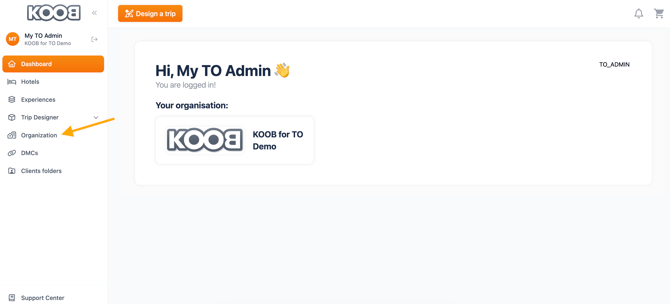
- You will see a list of all team members registered under your organization.
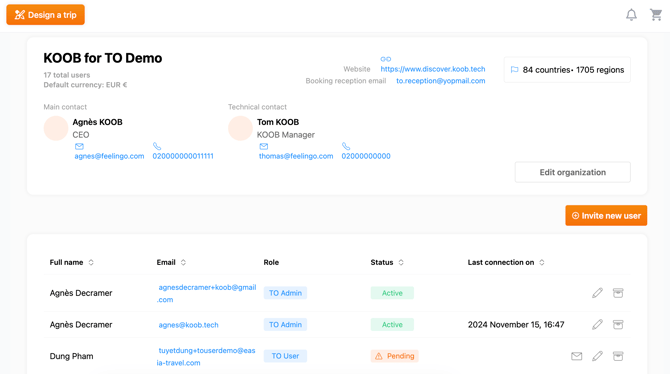
📌 Tip: Use this section to manage user roles, permissions, and login activity.
Viewing the last login time
- In the Users List, find the column labeled "Last Connection on".
- This column displays the date and time of the user's most recent login.
- If a user has never logged in, it will be blanked.
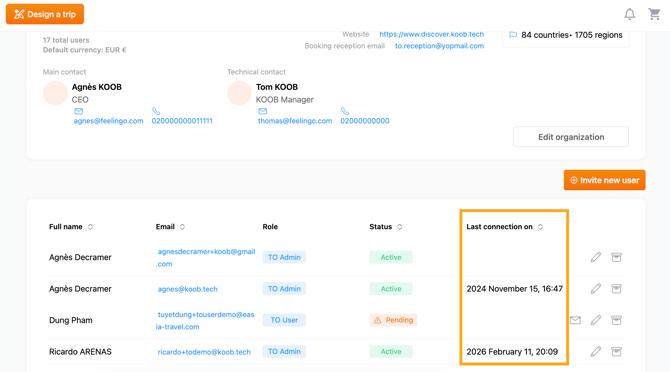
| 📌 Example: If a travel consultant was supposed to process bookings last week but hasn't logged in for a month, you may need to check in with them or reassign tasks. |
Filtering and searching for specific user
- Use filters to sort by role (Admin, Editor, Viewer), name, status.
-
You can also sort by “Last Connection on” to bring inactive users to the top
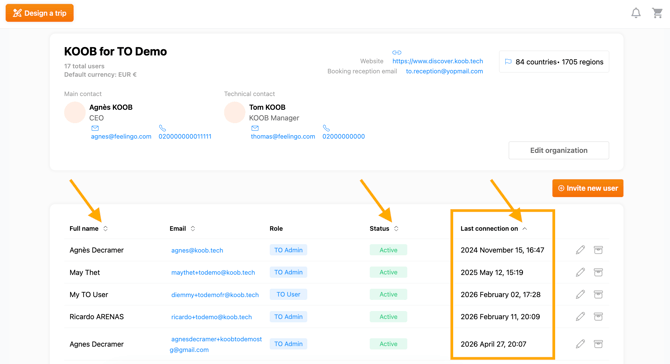
📌 Tip: Regularly filter by last login to detect inactivity or abandoned accounts.
Managing inactive users
Send a reminder email
-
Click on the user’s profile
-
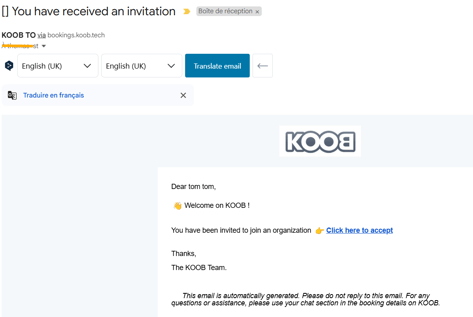
If the account has never been activated, click “Resend Invitation”


-
If the account is active, notify the user through internal communication or email
Deactivate user access
- Click the archive icon to deactivate (ideal for temporary leave or seasonal staff)

- Click "Yes, archive" to deactivate
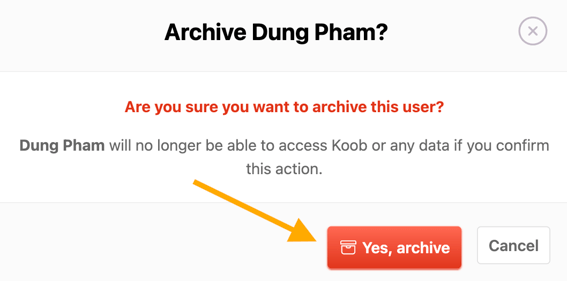
- Deactivated users cannot log in but can be reactivated later
| 📌 Example: If a seasonal team member hasn’t logged in for 6 months, deactivate their account until their next contract begins. |
Takeaways
✅ Track login activity directly in the “Users” section under Organization
✅ Check the “Last Connection on” column to view last login dates
✅ Use search and filters to find specific users or sort by login history
✅ Resend invitations or reminders for inactive users
✅ Deactivate unused accounts to maintain security and efficiency
FAQ
Q: Where can I see the last time a user logged in?
✅ In the “Organization” → “Users” list, under the column “Last Connection on”.
Q: What does it mean if the "Last connection on" is blank for a user ?
📌 It means the user was invited but hasn’t yet activated their KOOB account.
Q: Can I get notified if a user hasn’t logged in recently?
🛑 Not automatically. You’ll need to manually check login activity in the Users list.
Q: Can I deactivate access to a user who hasn’t logged in?
✅ Yes. You can either deactivate their access.
Related articles
- How to register and request access to KOOB as a Tour Operator?
- How to configure my organization’s information ?
- How to invite users and manage their rights in my organization?
- How to restrict user access to certain destinations?
- How to check the last login time of a user in my organization?
📌 Need help? Visit the KOOB Knowledge Base or contact KOOB Support 🚀