
✅ Register a new account as a Tour Operator.
✅ Submit your information for verification.
✅ Receive confirmation and activate your account.
🚀 Objective: Gain access to KOOB’s platform by completing the registration process correctly.
📌 Tip: Use a business email address to speed up the verification process.
How to register on KOOB ?
Access the KOOB Registration Page
- Open your web browser and go to https://to.koob.tech.
- Click on “Sign Up” to begin the registration process.
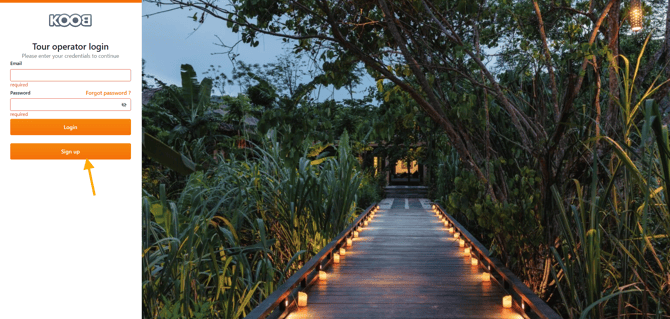
📌 Tip: Make sure you are on the correct platform URL before starting your registration.
Fill in your company & contact details
Complete the registration form with the following mandatory fields:
📝 Personal Information
- First Name & Last Name (e.g., John Doe)
- Email Address (Use a business email for faster approval)
- Phone Number (including country code)
🏢 Company Information
- Company Name (e.g., Global Travel Co.)
- Country & City (Headquarters location)
- Company Address & ZIP Code
- Language
- Typology (Tour Operator, Travel Agency)
- Selling Markets
- I'm interesting in

- KOOB Marketplace
- KOOB Trip designer
- Other comments (Free text area)
- How did you know about KOOB ? (Mail, DMC recommandation, Event, Ads..)
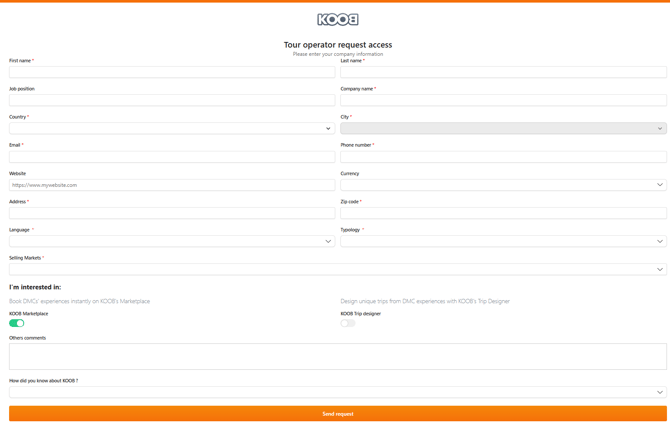
📌 Tip: Double-check all details before submitting, as incorrect information may delay approval.
Submit your request
- Click "Send Request" to finalize your registration.
- Your request is immediately sent to KOOB for validation.
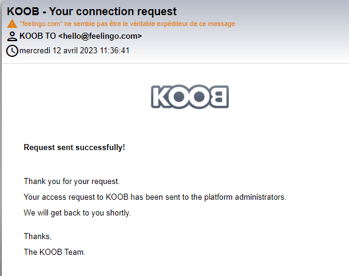
📌 Next Step: Wait for KOOB to review your registration and send your activation email.
Activating your KOOB account ?
Check your email
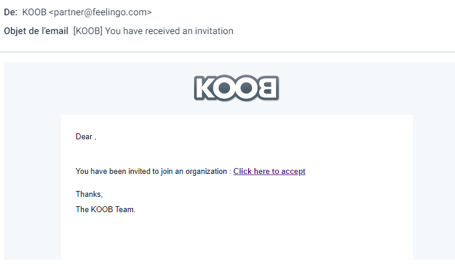
Once KOOB validates your registration, you will receive an activation email with login instructions.
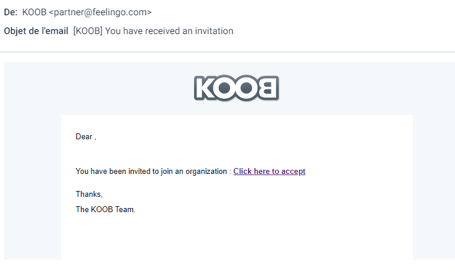
📌 Tip: If you don’t receive an email, check your Spam or Junk folder.
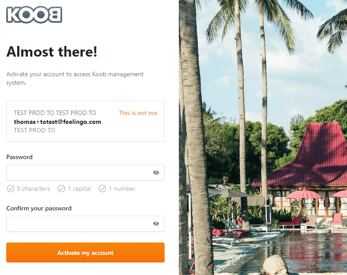
Set up your password
- Click the activation link in the email.
- Enter a strong password for your KOOB account.
- Click “Activate my account” to complete the setup.
📌 Tip: Use a combination of letters, numbers, and symbols to ensure password security.
What happens after registration?
Once your account is activated, you can:
- Log in to KOOB Marketplace as a TO.
- Browse DMCs, hotels, and experiences in the Showcase Catalog.
- Request connections with DMCs to access pricing and book products.
TUTORIAL VIDEO
Takeaways
✅ Quick and easy signup with business validation.
✅ Secure login with email verification.
✅ Access to a global network of DMCs, hotels, and experiences.
✅ Ability to manage connections and bookings on one platform.
🚀 Ready to get started? Register now and explore KOOB!
Can I sign up with a personal email? ❌ No. KOOB requires a business email for verification and approval.
How long does the validation process take? ✅ Usually 1-2 business days. If delayed, contact KOOB Support.
What if I forget my password? ✅ Click “Forgot Password” on the login page and follow the reset instructions.
Can multiple users from the same company register? ✅ Yes! Each company can have multiple users with separate logins.
Related Articles
- How to register and request access to KOOB as a Tour Operator?
- How to configure my organization’s information ?
- How to invite users and manage their rights in my organization?
- How to restrict user access to certain destinations?
- How to check the last login time of a user in my organization?
📌 Need help? Visit the KOOB Knowledge Base or contact KOOB Support for assistance. 🚀